
- Carte Tehnică: from 1–2 days to a few clicks
- Official documents, generated automatically
- Matches Distrigaz / Megaconstruct / Neogas workflows
- A mobile app for field technicians
The days lost to paperwork, won back
A Carte Tehnică (the gas-connection file) means ~25 documents where the same details (client, address, POD, materials, welders, team) are retyped dozens of times. Today that takes 1–2 days per job. In Operio the data is entered once and the whole file is generated. The same principle runs through everything the company does. Built for installers certified by ANRE (Romania's energy regulator) and ISCIR (the authority for boilers and pressure equipment).
The complete Carte Tehnică, in a few clicks
Pick the project, pick the file, download the ZIP. All ~25 documents (letter to the distributor, PVs, technical sheets, welder table, reports) are filled in automatically from client, project, team and company data, with stamps, signature and letterhead.
- Ready-made versions for Distrigaz, Megaconstruct and Neogas Grid
- HTML and Word (DOCX) templates with a visual editor
- Register number assigned automatically and printed on the document
- New templates generated with AI for the category you choose
- Quick file straight from the client page, no project needed
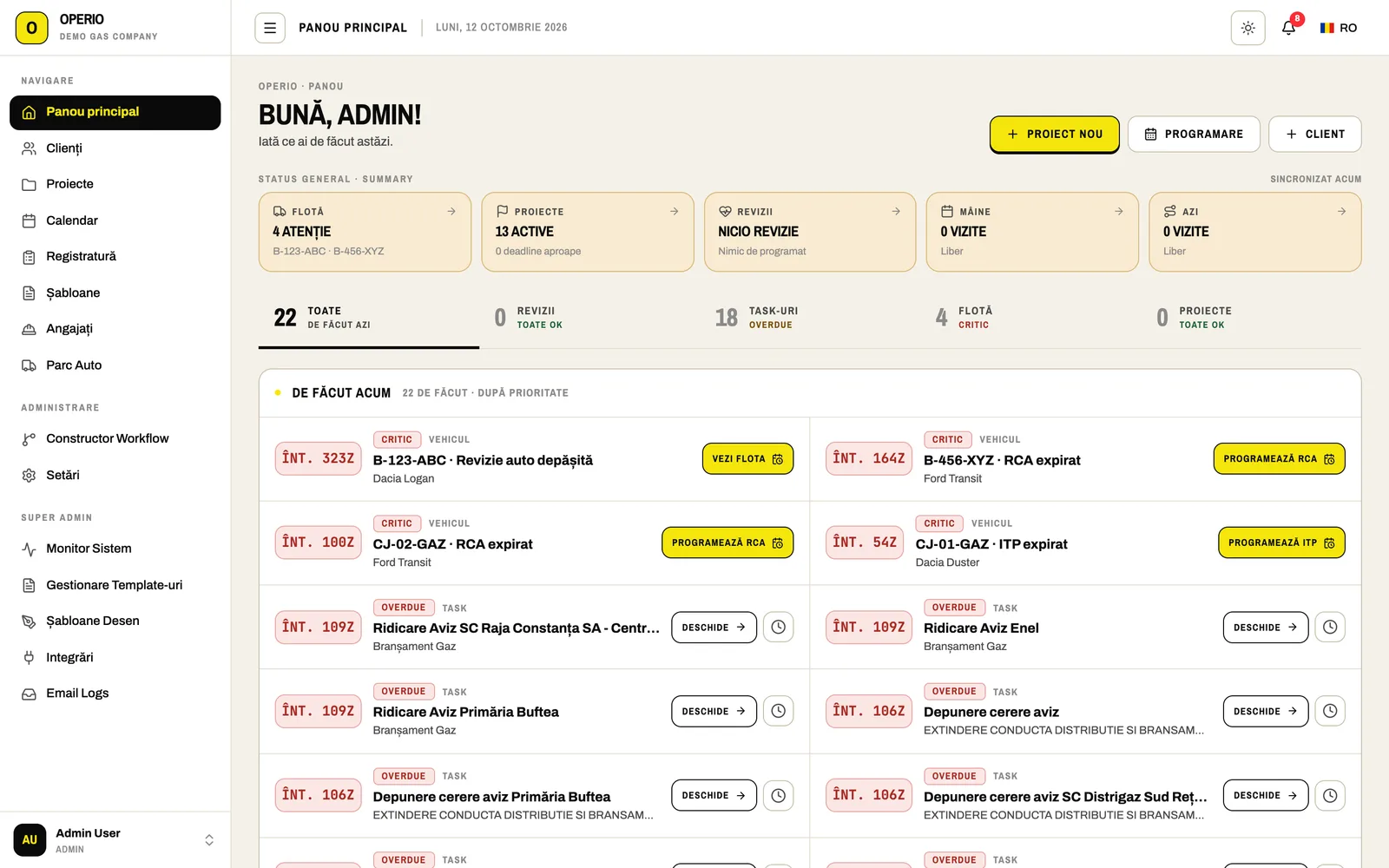
Open the app and know what needs doing today
Operio pulls everything that's due into one feed: inspections about to expire, overdue tasks and job steps, vehicle ITP (roadworthiness test), RCA (mandatory insurance), road tax and servicing, project deadlines.
- Call, snooze (tomorrow, 3 or 7 days, with a note the whole team sees) or close each item
- Today's and tomorrow's appointments, your tasks and fleet alerts on one page
- An automatic digest at 07:00 and 13:00 with everything due today and tomorrow
- Notifications in the app, by email, in the browser and on the phone
- Your own alert thresholds: inspections at 45 / 15 days, ITP at 30 days, deadlines at 7 / 3 days
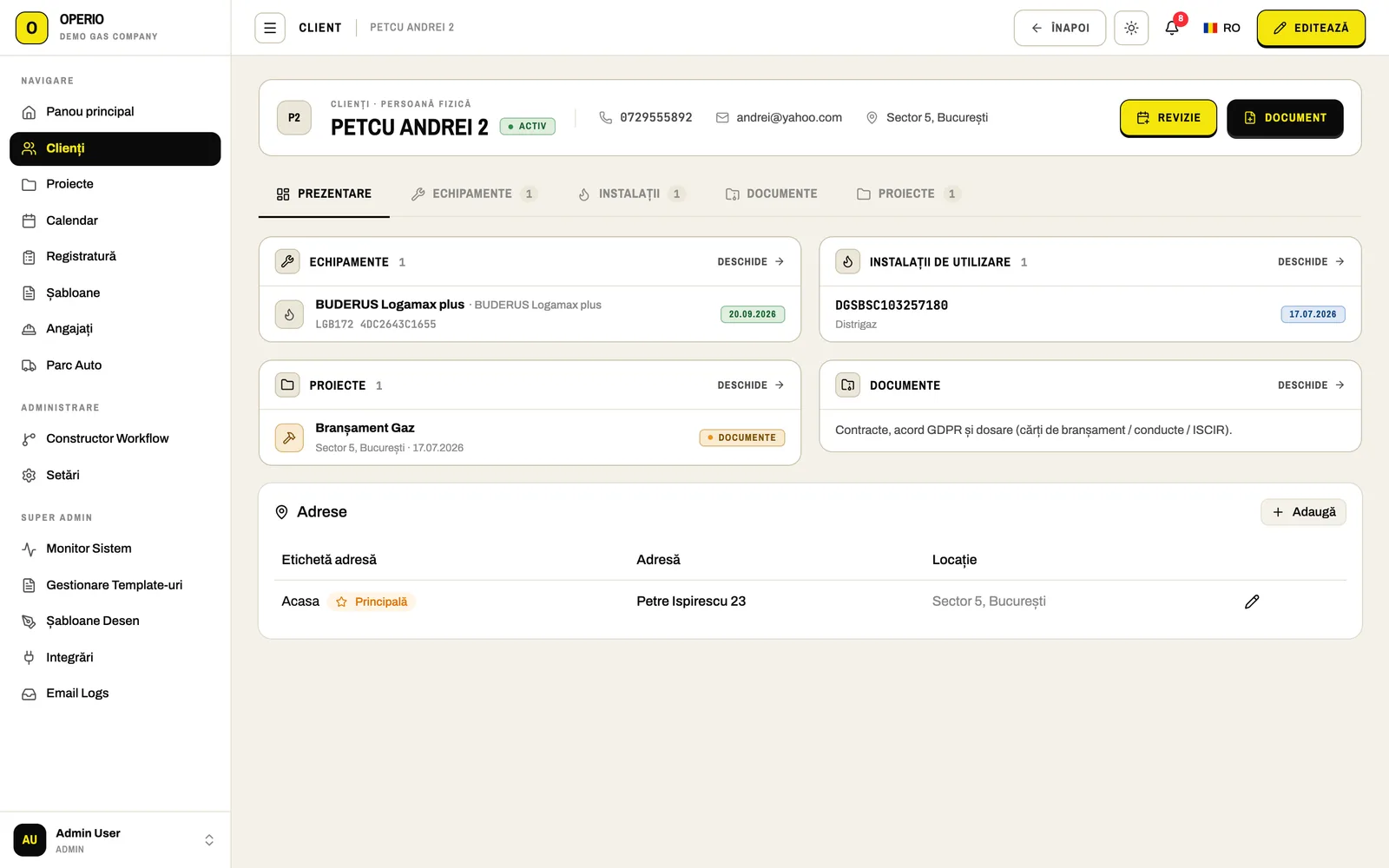
A client's entire history on one page
When a client calls, you can see their boiler, their last inspection, their contract and every document you've issued them.
- Enter a company's CUI (tax ID) and ANAF fills in the name, trade register number, address and VAT status
- Boilers with type, serial number, output and fuel
- Gas installations with distributor, technical/POD code, customer code, contract, meter, seals and connected appliances
- Contacts, contracts and addenda, GDPR consent, projects and appointments
- Snap a photo of the gas bill and the installation fills itself in
Jobs keep moving without you chasing them
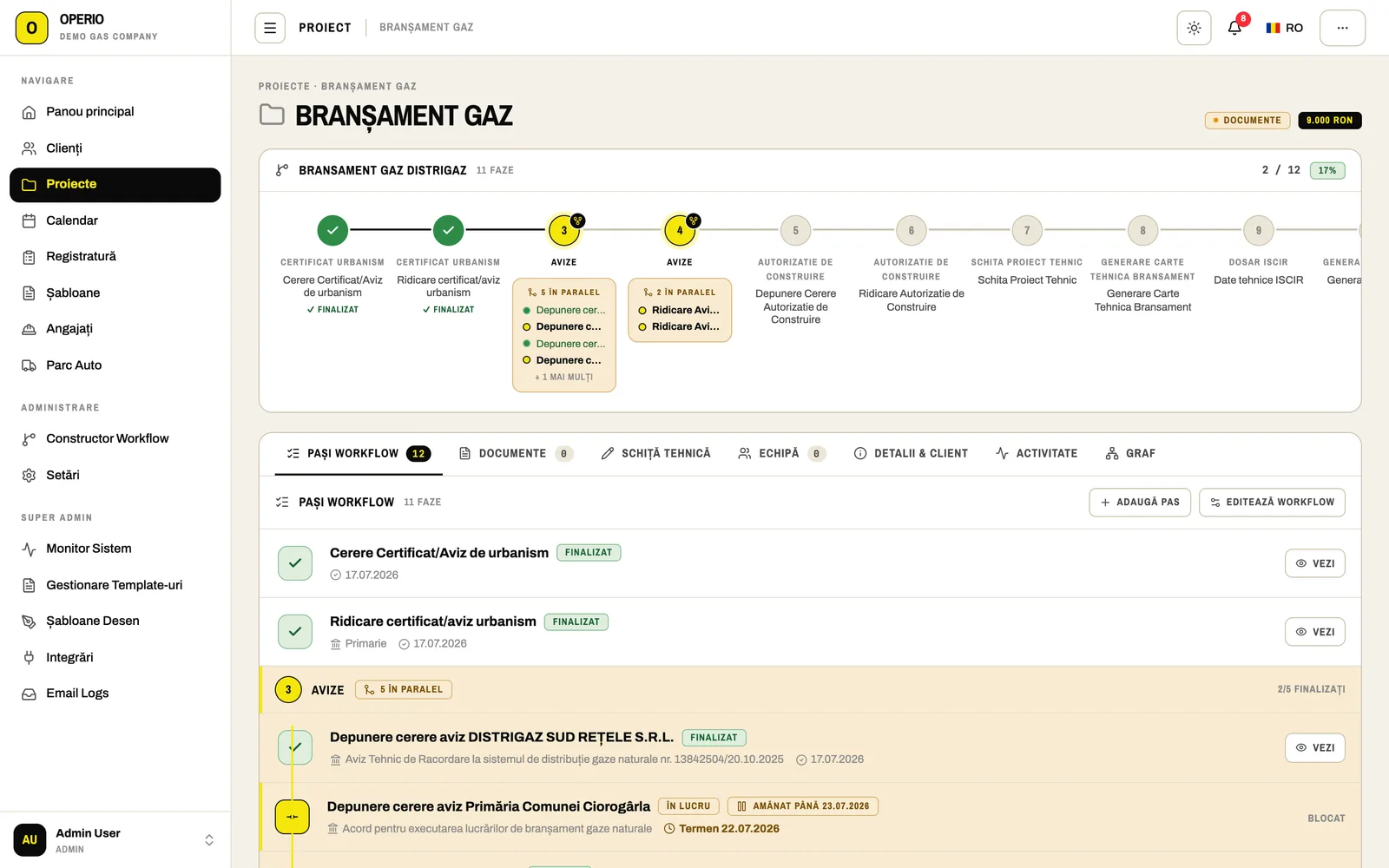
Every gas connection, pipeline extension, ISCIR file or boiler service runs on a step-by-step workflow. You always see where a job stands and what comes next.
- Steps with forms, deadlines, decisions, sub-flows and the documents to generate
- Permits requested in parallel: environment, sewage, police, telecom, electricity
- A separate workflow for each distributor
- A visual workflow builder for admins, no developer needed
- The project team with each person's credentials: ANRE installer, designer, RTE (site technical supervisor), site manager, QC, welders
- Phases and milestones, technical sketches drawn in the app, appointments and full history
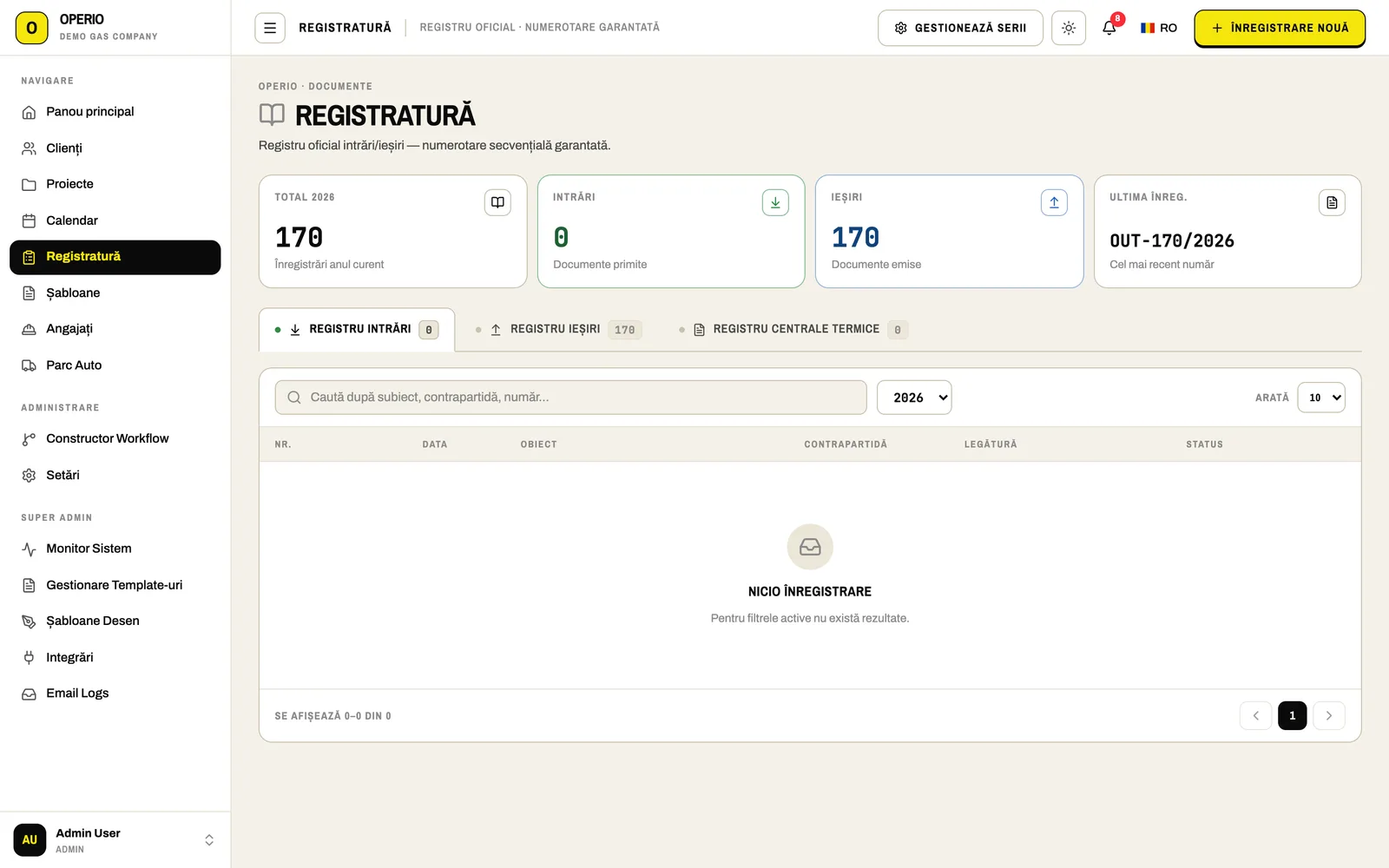
An official register that never skips a number
Incoming, outgoing and internal documents, numbered in sequence each year. Nothing gets deleted, so the register is always ready for an inspection.
- Configurable number series for each register
- Search, attach files, link to a document, project or client
- Cancellation only with a stated reason, recorded in the audit log
Clients sign on their phone, no account needed
Send the PDF by email. The client opens the link, reads the document and signs on screen, or declines with a reason. The signed copy goes to everyone automatically.
- Every step (sent, viewed, signed, completed) is logged with the document fingerprint, IP and timestamp
- Downloadable audit trail
- No account or app needed on the client's side
Clear schedules, and service records that fill themselves in
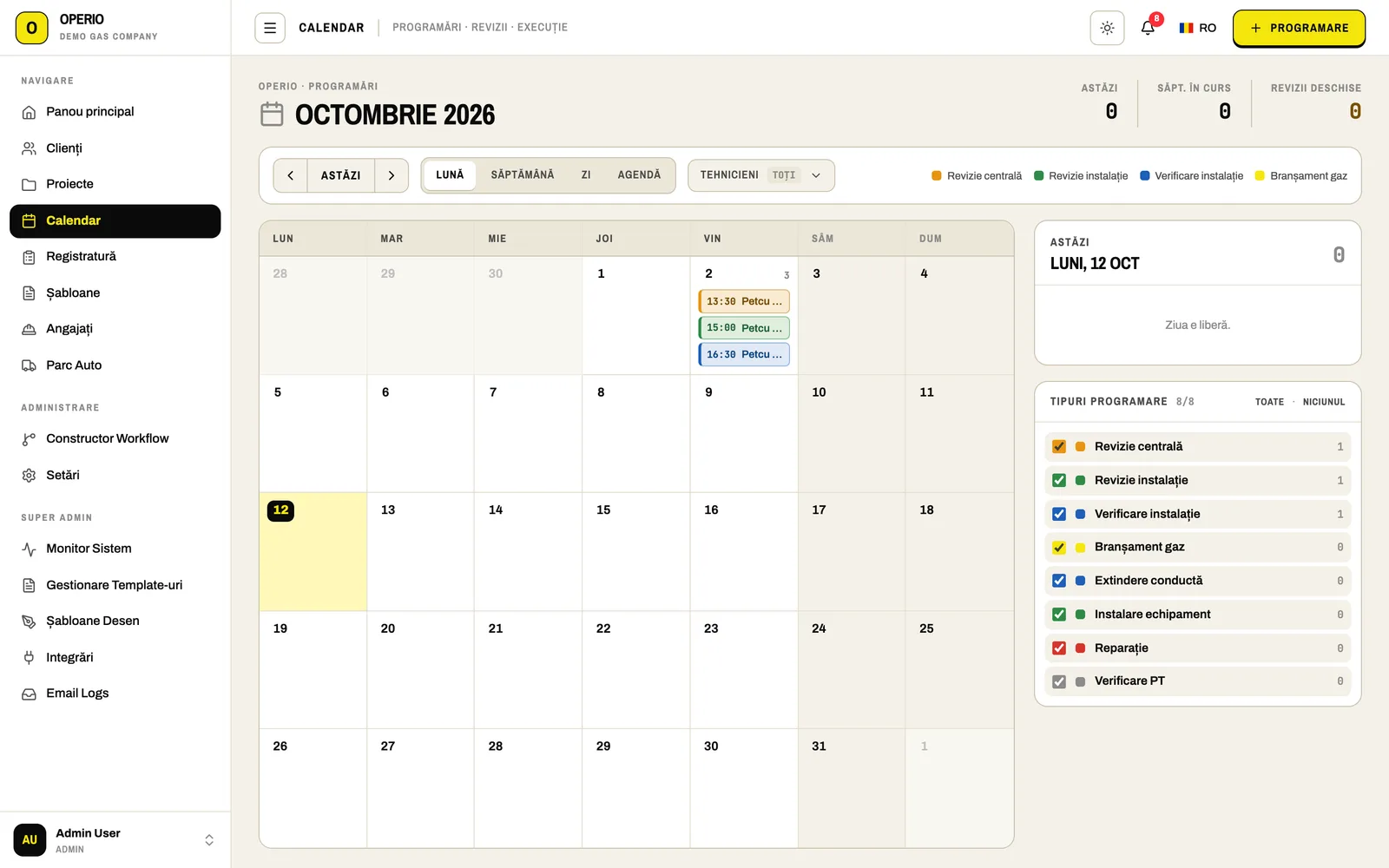
Each technician sees their own day; coordinators see everything. Combustion analyser reports received by email land in the client's history on their own.
- Month, week, day or agenda view, per technician
- A warning when two appointments overlap
- Types: boiler service, installation inspection or check, document pickup, fleet ITP and RCA
- One shared calendar, or a separate calendar for each technician
- Emailed combustion reports are read automatically (client, equipment, serial, readings) and matched to the right boiler; unclear cases go to a review list
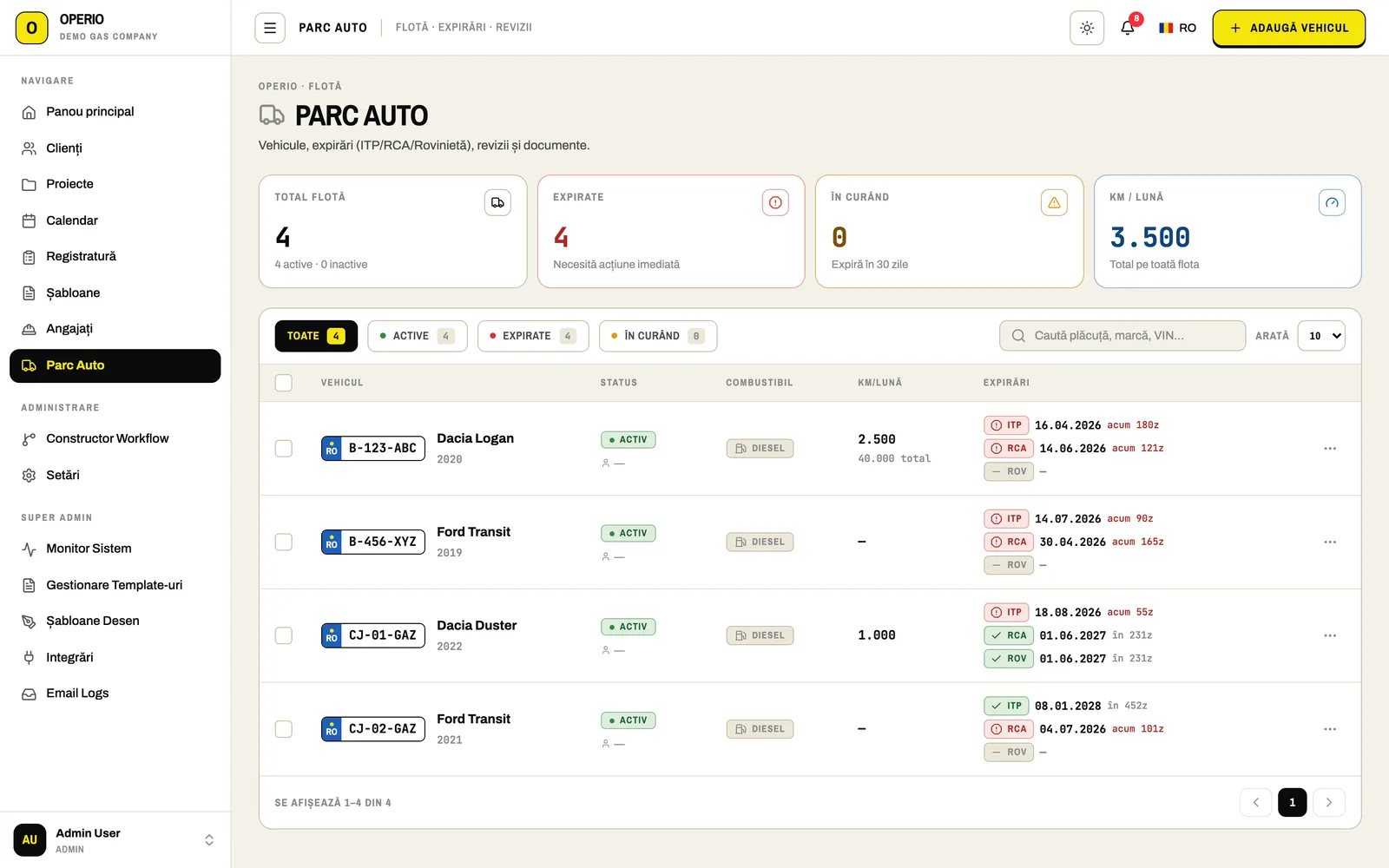
Your team's credentials and company vans, under control
Always know who holds which credential, and when each vehicle's ITP, RCA or road tax runs out.
- Employees and contractors with their credentials and IDs (ANRE, RTE, designer) and personal signature
- Vehicles with ITP, RCA, road tax and uploaded documents
- Service history, with the next date estimated from mileage
AI where it actually saves time
Four specific places where AI does the data entry for you.
The files you produce with Operio
Every document is filled in from data you've already entered and gets a register number. Official Romanian names are kept as they appear on paper; PV stands for proces-verbal, a signed official report.
-
DOC-01 ~25 DOCS
Carte Branșament
The complete gas-connection file for the distributor.
Adresă către distribuitor, cartea tehnică a construcției, opis, notificare finalizare montaj, solicitare recepție, ATE, PV recepție tehnică, fișe tehnice, PV punere în funcțiune, PV predare-primire amplasament/șantier, PV trasare, PV readucere la starea inițială, PV verificare calitate materiale și lucrări, tabel sudori, examinare vizuală suduri, schiță, raport lucrări, PV lucrări ascunse, referat proiectant, referat RTE.
Versions: Distrigaz · Megaconstruct · Neogas Grid
-
DOC-02 EXTENSION
Carte Conductă
The pipeline extension file.
Minută pregătire cuplare, comandă de cuplare, PV trasare, PV cuplare/PIF, PV faze determinante, PV lucrări ascunse, tabele sudori/suduri, schiță, referate.
-
DOC-03 BY PHASE
Dosar ISCIR
The complete file for ISCIR-supervised works.
Convocare, PV-uri pe faze (trasare, săpătură, pat de nisip, montare, lansare, probe de presiune, faze determinante), decizii de numire CQ / RTE / șef de șantier.
-
DOC-04 ADMIS / RESPINS
ISCIR inspection report
Boiler service report with a pass/fail verdict and the next due date.
Generated straight from the phone wizard, with the client's signature.
-
DOC-05 RT · PV · SEALS
Installation reports & PVs
Paperwork for gas installation inspections and checks.
Fișă revizie tehnică instalație (RT), PV recepție tehnică, Buletin de sigilare/desigilare, Fișă verificare tehnică instalație.
-
DOC-06 CLIENT
Contracts & consents
Everything the client signs.
Contract revizie / verificare instalație, Contract de prestări servicii (cu tabel de servicii și total), Act adițional, Acord GDPR.
-
DOC-07 IN-APP
Technical sketches
Sketches drawn right in Operio.
From reusable templates, attached to the file automatically.
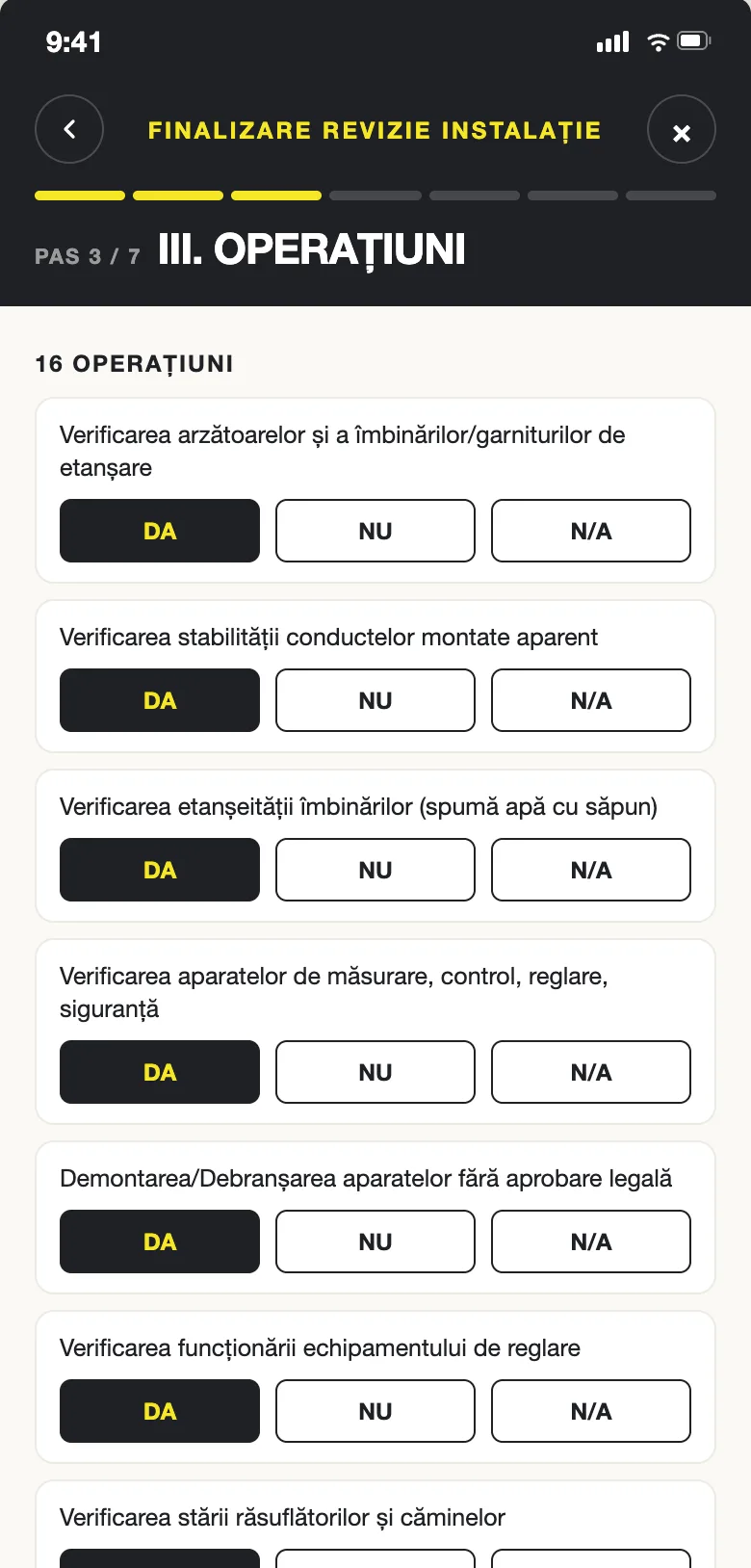
Technicians close the visit on their phone. The report goes to the client on its own.
The day's appointments, directions to the address and the client's history. Step-by-step wizards that follow the ANRE checklist exactly, with the official document ready at the end.
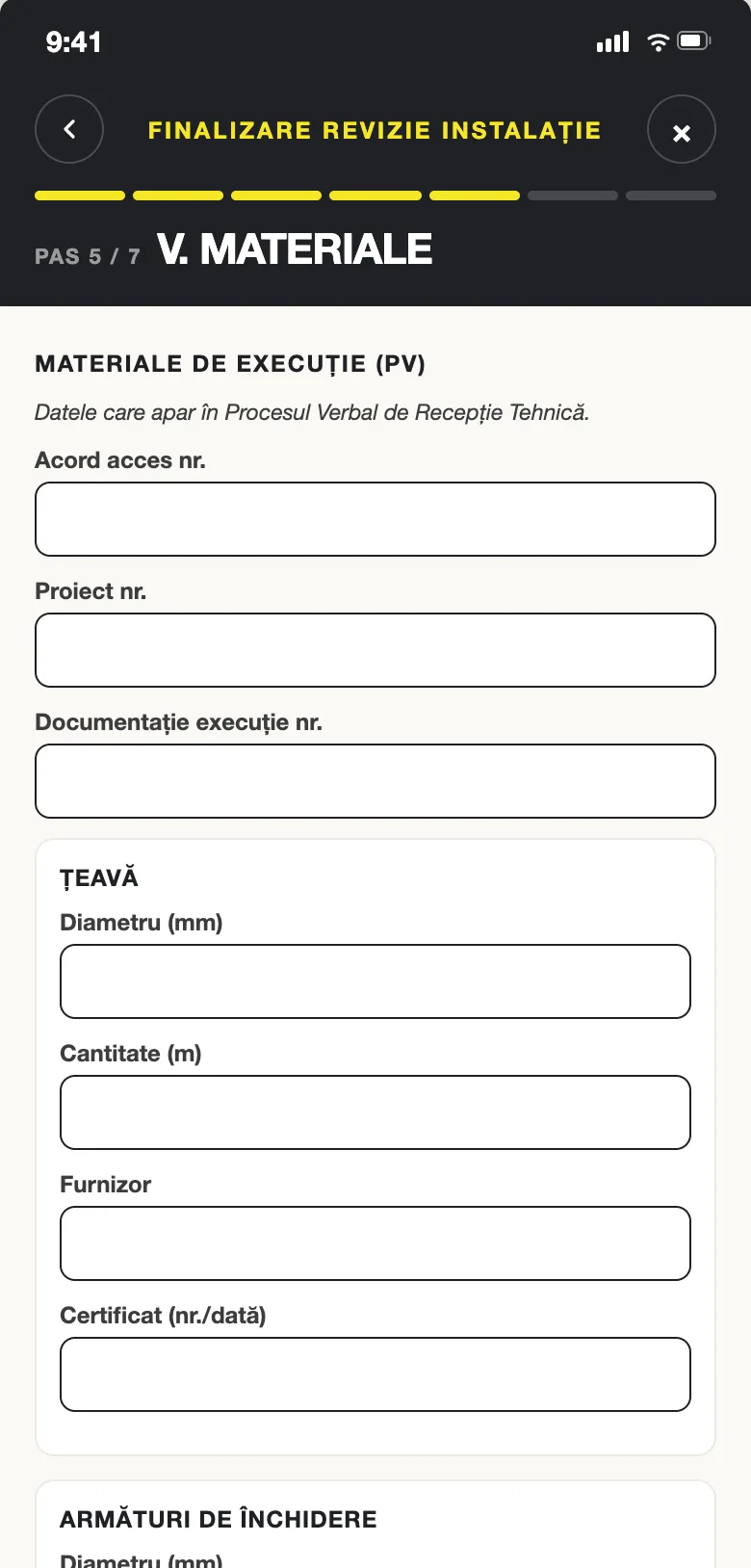
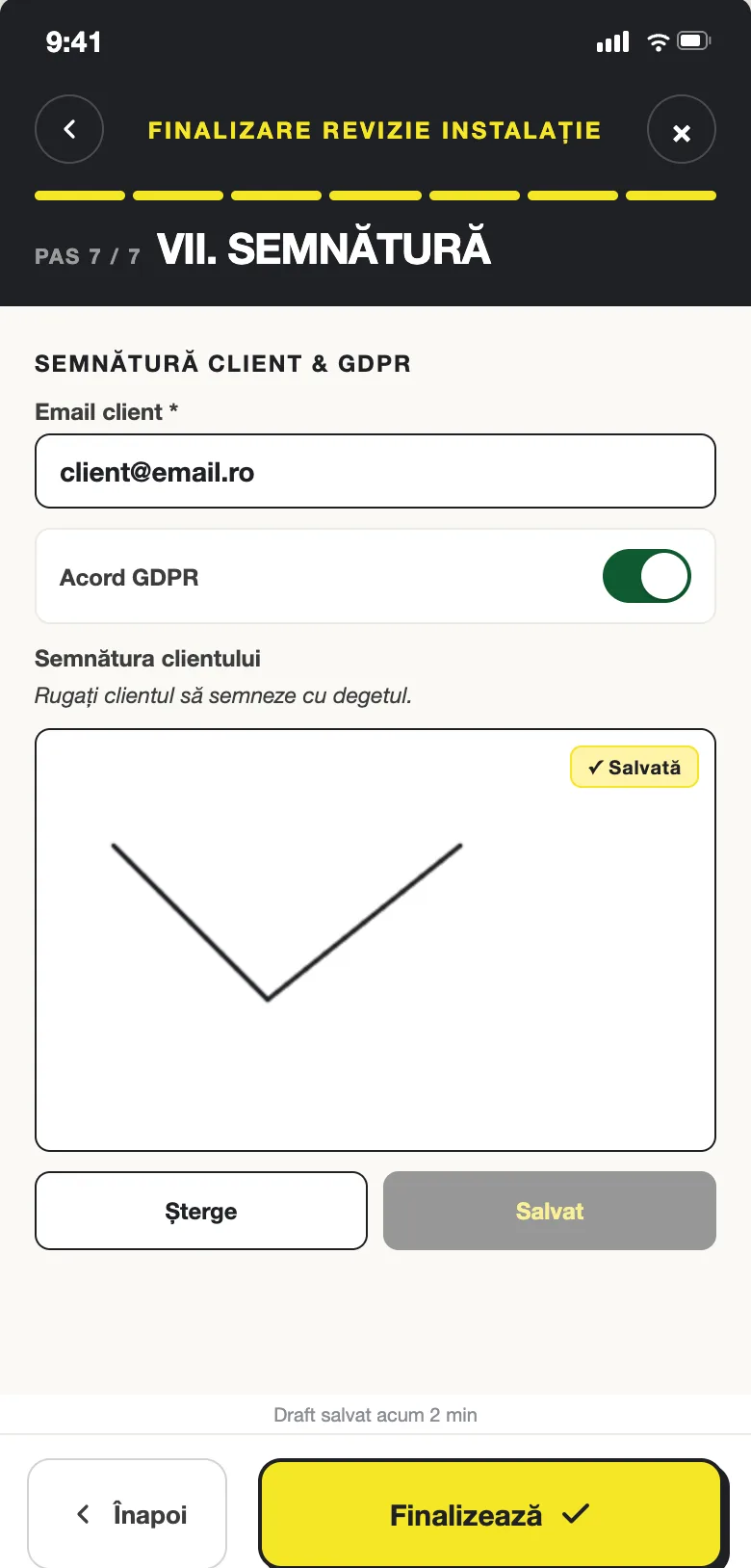
- ISCIR boiler service wizard: equipment, documents, work done, readings, ADMIS / RESPINS (pass / fail) verdict, client signature on screen, GDPR consent
- Installation inspection and check wizards: the 16 and 14 ANRE checks, answered YES / NO / N/A
- Materials autocomplete from your company's own list, pressure tests, sealing/unsealing, assessment form
- Express mode for routine visits, plus photos and attachments
- Finish with a full report, a follow-up (task created automatically) or a new appointment on the spot
Control, security, traceability
You decide who sees what. Every change leaves a trace.
-
01
Roles
Administrator, Manager, Operator, each with its own permissions.
-
02
Controlled mobile access
The mobile app is switched on explicitly for each user.
-
03
Revocable devices
Phones register on first sign-in and can be revoked instantly: lost phone, technician who left.
-
04
Audit log
Every change is recorded: who, what and when.
-
05
Verifiable documents
Gap-free official numbering and a SHA-256 fingerprint on every document.
-
06
Data hosted in the EU
Daily backups. Each company sees only its own data.
How to get started
-
01
Create your company account
Company details, letterhead, stamp and register series.
-
02
Bring in your team and clients
Employees with their credentials, your clients and existing installations.
-
03
Generate your first Carte Tehnică
Pick the client, pick the file, download every document. Minutes, not days.
Frequently asked questions
Short answers to what companies ask us before a demo.
What is Operio?
Operio is a web and mobile application for natural-gas installation companies in Romania (ANRE- and ISCIR-certified installers). It manages clients, jobs, inspections, the team and the vehicle fleet, and automatically generates the official paperwork: the installation's technical file (Carte Tehnică / Carte Branșament), pipeline extension file, ISCIR file, inspection sheets, acceptance reports (PV) and contracts.
Who is Operio for?
ANRE-certified installers, gas-connection and pipeline-extension contractors, companies doing periodic technical inspections of gas installations, and companies servicing boilers (ISCIR). It works for a two-technician firm as well as for one with dozens.
Which documents does Operio generate?
Carte Branșament (the complete gas-connection file for the distributor, ~25 pieces, Distrigaz / Megaconstruct / Neogas Grid variants), Carte Conductă (pipeline extension), the ISCIR file by phase, the ISCIR inspection report for boiler servicing, the installation technical-inspection sheet (RT), the technical acceptance report (PV), the sealing/unsealing bulletin, the technical-check sheet, inspection and service contracts, addenda, GDPR consent and technical sketches.
How long does a technical file take with Operio?
Minutes. Company, team (ANRE, RTE, designer, welder credentials) and client data are entered once; the complete file, numbered in the official register, comes out as a single ZIP with every piece filled in.
How do technicians work in the field?
From the Operio mobile app (Android and iOS): the day's appointments, directions to the address, step-by-step wizards for the ISCIR boiler service and the installation inspection/check (the 16 and 14 ANRE operations), photos, and the client's signature on screen. The report becomes an official PDF and is emailed to the client automatically.
Does Operio have e-signature?
Yes. Send a PDF for signing; the client gets an email link, reads the document and signs on their phone, no account needed. Every step (sent, viewed, signed, completed) is logged with the document fingerprint, IP and timestamp in a downloadable audit trail.
Where is the data stored and how secure is it?
Data is hosted in the European Union with daily backups. Each company sees only its own data. Mobile-app access is enabled explicitly per user and phones can be revoked instantly by an administrator. Every change is audited.
How much does Operio cost and how do I start?
We don't publish prices yet: book a 30-minute demo on your real jobs (bring a gas-connection file and we'll generate it together). Message us on WhatsApp at +40 729 555 899 or use the contact form.
Book a demo
We'll walk you through the app in a 30-minute session, using your real jobs. Bring a gas-connection file and we'll generate it together.
Thank you! We've got your request.
We'll be in touch shortly to schedule your demo.